Friday, April 25, 2014

OGG-00730 No minimum supplemental logging is enabled.

My GG version: 11.2.1.0.x
OS version:  RHEL 5.x
Oracle version: 11.2.0.2

 Extract ABENDS with below error

ERROR   OGG-00730  No minimum supplemental logging is enabled. This may cause extract process to handle key update incorrectly if key column is not in first row piece.

This error occurs when we haven't yet enabled supplemental logging on the database level but when I check my database it has supplemental logging enabled

SQL> SELECT force_logging, supplemental_log_data_min FROM v$database;

FOR SUPPLEME
--- --------
YES YES

SQL> archive log list
Database log mode              Archive Mode
Automatic archival             Enabled
Archive destination            USE_DB_RECOVERY_FILE_DEST
Oldest online log sequence     5
Next log sequence to archive   6
Current log sequence           6

Solution:        This is a BUG, [1571665.1]
           Added undocumented parameter “TRANLOGOPTIONS DISABLESUPPLOGCHECK” parameter to extract and once started then removed it from paramfile and everything worked fine

Thursday, April 24, 2014

Generate GOLDENGATE Encryption Keys using Keygen


My GG version: 11.2.1.0.x
OS version:  RHEL 5.x
Oracle version: 11.2.0.2

In order to generate keys, run the keygen command from the GoldenGate software installation home

KEYGEN   key length   n

Where:
(key length) is the encryption key length, up to 128 bits.
(n) represents the number of keys to generate.


oracle@oradev01:/opt/oracle/GGATE  $ ./keygen  128 4
0x022A972B7CF6EF537DBCF35792BEH321

0x03CC8167B516426D9CA3A70B5B1FDW12

0x066E6C23EF369406BA8A5B3F2580DF54

0x0A10575F2857E61FD8710F73EFE08H11


Save the file as the name ENCKEYS in all upper case letters, without an extension, in the Oracle GoldenGate installation directory.

oracle@oradev01:/opt/oracle/GGATE $  vi ENCKEYS

oracle@oradev01:/opt/oracle/GGATE $ cat ENCKEYS
key1 0x022A972B7CF6EF537DBCF35792BEH321
key2 0x03CC8167B516426D9CA3A70B5B1FDW12
key3 0x066E6C23EF369406BA8A5B3F2580DF54
key4 0x0A10575F2857E61FD8710F73EFE08H11

Copy this ENCKEYS file to all the target servers in the GG home location. The key names and values in all of the ENCKEYS files must be identical, or else the data exchange will fail

oracle@oradev01:/opt/oracle/GGATE $ ./ggsci

Oracle GoldenGate Command Interpreter for Oracle
Version 11.2.1.0.3 14400833 OGGCORE_11.2.1.0.3_PLATFORMS_120823.1258_FBO
Linux, x64, 64bit (optimized), Oracle 11g on Aug 23 2012 20:20:21

Copyright (C) 1995, 2012, Oracle and/or its affiliates. All rights reserved.

GGSCI (oradev01) 1> encrypt password gguser123
Expecting either 'ENCRYPTKEY' or an encryption algorithm

we need to give encrypt key which is specified in ENCKEYS file

GGSCI (oradev01) 2> encrypt password gguser123 ENCRYPTKEY key1
Encrypted password:  AADAAAAAAAAAAAKAVHWAGJIGWBGHDBRAGJMIPEQEXBYEMDYIRBICFHSCTDHHEJHANCKAUDDGQJPBHRDT
Algorithm used:  AES128

Check whether you can able to connect with this encrypted password

GGSCI (oradev01) 3> dblogin USERID gguser@MYDB, PASSWORD AADAAAAAAAAAAAKAVHWAGJIGWBGHDBRAGJMIPEQEXBYEMDYIRBICFHSCTDHHEJHANCKAUDDGQJPBHRDT, encryptkey key1
Successfully logged into database.

GGSCI (oradev01) 3> dblogin USERID gguser@MYDB, PASSWORD gguser123
Successfully logged into database.

So you can use this encrypted password in your extract param file

GGSCI (oradev01) 4> edit params ext

GGSCI (oradev01) 6> view params ext

EXTRACT ext
USERID gguser@MYDB, PASSWORD AADAAAAAAAAAAAKAVHWAGJIGWBGHDBRAGJMIPEQEXBYEMDYIRBICFHSCTDHHEJHANCKAUDDGQJPBHRDT, encryptkey  key1
EXTTRAIL /opt/oracle/GGATE/dirdat/lt
………
…..
………….
SETENV NLS_LANG="AMERICAN_AMERICA.WE8ISO8859P1"
TABLE schema.table_name


NOTE:  The only way to protect this ENCKEYS file from other is through o/s privileges (Doc ID 1575452.1)


Thursday, April 3, 2014

Install Grid Agent from 11g OEM

To install Agent on the oracle linux server
Go to Deployments TAB from 11g Grid control page


Click on Install Agent, then the below screen will be appeared


Click on the links which you want to perform, here I click on Fresh install

NOTE: If we want to upgrade agent from 10g to 11gr1 then simply click on Upgrade agent, so no need to install 11g agent on the server it will automatically install 11g and upgrade from 10g to 11g.


Fill all the fields according to the environment.

Here you need to know the Management Server Registration Password  (OMS password) to continue.
Once done verify from the server : ./emctl status agent
Verify from grid control, it should show new oracle linux HOST

Run the .../agent11g/root.sh script (as root) as soon after installation is complete (or) you can check the "run root.sh" box if you have root access


Useful Standby database commands


To see if the MRP is running or not
 SQL> SELECT PROCESS, STATUS FROM V$MANAGED_STANDBY;

How to Check if Active Data Guard is Already Enabled :

SELECT 'Using Active Data Guard' ADG FROM V$MANAGED_STANDBY M, V$DATABASE D WHERE M.PROCESS LIKE 'MRP%' AND D.OPEN_MODE='READ ONLY';

ADG
-----------------------                                               (if ENABLED)
Using Active Data Guard                     


no rows selected.                                                              (if NOT ENABLED)


To start Redo Apply, issue the following statement:
SQL> ALTER DATABASE RECOVER MANAGED STANDBY DATABASE DISCONNECT FROM SESSION;

To stop recovery of a standby database:
SQL>   ALTER DATABASE RECOVER MANAGED STANDBY DATABASE CANCEL;

On primary:
SQL >  SELECT THREAD# "Thread",SEQUENCE# "Last Sequence Generated"
FROM V$ARCHIVED_LOG
WHERE (THREAD#,FIRST_TIME ) IN (SELECT THREAD#,MAX(FIRST_TIME) FROM V$ARCHIVED_LOG GROUP BY THREAD#) ORDER BY 1;

On Standby:
SELECT ARCH.THREAD# "Thread", ARCH.SEQUENCE# "Last Sequence Received", APPL.SEQUENCE# "Last Sequence Applied", (ARCH.SEQUENCE# - APPL.SEQUENCE#) "Difference"
FROM
(SELECT THREAD# ,SEQUENCE# FROM V$ARCHIVED_LOG WHERE (THREAD#,FIRST_TIME ) IN (SELECT THREAD#,MAX(FIRST_TIME) FROM V$ARCHIVED_LOG GROUP BY THREAD#)) ARCH,
(SELECT THREAD# ,SEQUENCE# FROM V$LOG_HISTORY WHERE (THREAD#,FIRST_TIME ) IN (SELECT THREAD#,MAX(FIRST_TIME) FROM V$LOG_HISTORY GROUP BY THREAD#)) APPL
WHERE ARCH.THREAD# = APPL.THREAD# ORDER BY 1;

Check Archive gap on Standby:
SELECT THREAD#, LOW_SEQUENCE#, HIGH_SEQUENCE# FROM V$ARCHIVE_GAP;

Check the max log sequence on Primary DB
 SELECT Max(sequence#) FROM   v$log_history;


# check the last log applied on STANDBY
SELECT thread#,   Max(sequence#) "Last Standby Seq Applied"
FROM   v$archived_log   WHERE  applied = 'YES'  GROUP  BY thread#   ORDER  BY 1;
 

SQL> SELECT * FROM V$DATAGUARD_STATS WHERE NAME=’transport lag’;
SQL> SELECT * FROM V$DATAGUARD_STATS WHERE NAME=’apply lag’;


On primary:  (Where dblink_stby à dblink on the primary that points to the standby database )
SQL> select scn_to_timestamp((select current_scn from v$database))-scn_to_timestamp((select current_scn from v$database@dblink_stby)) from dual;
The value returned from the query indicates the number of seconds that data on the standby lags behind the current position of the primary database.


Find Redo GAP: (on STANDBY)
SQL> select * from v$archive_gap;

thread#    low_sequence#    high_sequence#
---------------------------------------------------------------------------
2              222                   222
3              341                   342


Identify missing archive logs from above output:
SQL> select name from v$archived_log where thread# = 2 and dest_id = 2 and sequence# = 222;


Thursday, January 16, 2014

How to add new tables for running OGG extract and replicat

There are two ways to add the new tables for OGG replication 

à using handlecollision
à
without using handlecollisions

A) using handlecollisions
----------------------------
1)stop the extract,pump and replicat
 once the extract is stopped, wait for the pump to catch up before stopping it.
 once the pump is stopped, wait for the replicat to catch up before stopping it.
2)Enable Supplemental Logging at Table Level on source side
 GGSCI> dblogin userid xxxxx password xxxxxx
GGSCI> add trandata <schema>.<tablename>
3)include the tables that you need to add into the extract parameter file and save it
4)start the extract
5)include the tables that you need to add into the extract pump parameter file and save it
6)start the pump
7)do the initial load for the the new tables( ie you can take the export and import of the new tables that need to to added for replication from source the target database)
8)Wait for the initial load(export and import) to be completed and then include the tables that you need to add into the replicat parameter file with HANDLECOLLISIONS parameter
eg: MAP hr.dep, TARGET hr.dep, HANDLECOLLISIONS;
MAP hr.country, TARGET hr.country, HANDLECOLLISIONS;

9) start the replicat
10) once the lag becomes zero remove the HANDLECOLLISIONS from the replicat parameter file and restart the replicat
eg :-
MAP hr.dep, TARGET hr.dep;
MAP hr.country, TARGET hr.country;

NOTE:-  step 4 and 5 can be skipped if the pump is not configured.


B)without using handlecollision
--------------------------------------
1) stop the extract,pump and replicat
once the extract is stopped, wait for the pump to catch up before stopping it.
        once the pump is stopped, wait for the replicat to catch up before stopping it.
2)Enable Supplemental Logging at Table Level on source side
GGSCI> dblogin userid xxxxx password xxxxxx
GGSCI> add trandata <schema>.<tablename>  
3)add the new table in extract parameter file and save it
4)start the extract
5)add the new table in extract pump parameter file and save it
6)start the extract pump
7)get the current SCN from the source database
eg:-
SQL> select current_scn from v$database;

CURRENT_SCN
------------------------
5343407

8) Check that there are no open DML transactions against the table. If there are open transactions, make sure that their starting SCN is higher than the one obtained in step 4) , i.e. 5343407

9)re-sync the the newly added table from source to target(using normal export/import).
Make sure to use FLASHBACK_SCN parameter for the export.

10) Add the table in the replicat parameter file including the below option( FILTER ( @GETENV ("TRANSACTION", "CSN") > <scn_number obtained from source db>) )as shown in the below example
eg:-
MAP source.test1, TARGET target.test1 ,
FILTER ( @GETENV ("TRANSACTION", "CSN") > 5343407);
MAP source.test2, TARGET target.test2 ,FILTER ( @GETENV ("TRANSACTION", "CSN") > 5343407);

11)start the replicat

12)verify the tables on source and table and once the lag is zero remove the filter parameter from the replicat parameter file and restart.


NOTE:  if you are using HANDLECOLLISIONS method, and if you are doing on a table with no Primary key and unique key then you might end up with Duplicate data in the table, so i prefer you go always with WITHOUT HANDLECOLLISIONS method in these cases.

Ref:[ Doc ID 1332674.1]


Friday, November 1, 2013

ORA-38500: Unsupported operation: Oracle XML DB not present

when i'm trying to do schema import with content=data_only option then i got this error below

ORA-31693: Table data object "SCOTT"."TEST" failed to load/unload and is being skipped due to error:
ORA-38500: Unsupported operation: Oracle XML DB not present

Then i checked the XDB status and it is installed and VALID status but still getting this error during the import

SQL> select substr(comp_id,1,15) comp_id, substr(comp_name,1,35) comp_name, substr(version,1,10) version, status from dba_registry order by modified;

COMP_ID         COMP_NAME                           VERSION    STATUS
--------------- ----------------------------------- ---------- -----------
EM                  Oracle Enterprise Manager           11.2.0.3.0   VALID
CATPROC         Oracle Database Packages and Types  11.2.0.3.0   VALID
CATALOG         Oracle Database Catalog Views       11.2.0.3.0   VALID
OWM               Oracle Workspace Manager            11.2.0.3.0 VALID
CATJAVA         Oracle Database Java Packages       11.2.0.3.0 VALID
XDB               Oracle XML Database                 11.2.0.3.0 VALID
CONTEXT         Oracle Text                         11.2.0.3.0 VALID
EXF                Oracle Expression Filter            11.2.0.3.0 VALID
JAVAVM          JServer JAVA Virtual Machine        11.2.0.3.0 VALID
XML             Oracle XDK                          11.2.0.3.0 VALID
RUL             Oracle Rules Manager                11.2.0.3.0 VALID

COMP_ID         COMP_NAME                           VERSION    STATUS
--------------- ----------------------------------- ---------- -----------
ORDIM           Oracle Multimedia                   11.2.0.3.0 VALID
SDO             Spatial                             11.2.0.3.0 VALID
AMD             OLAP Catalog                        11.2.0.3.0 VALID
APS             OLAP Analytic Workspace             11.2.0.3.0 VALID
XOQ             Oracle OLAP API                     11.2.0.3.0 VALID
OWB             OWB                                 11.2.0.2.0 VALID
APEX            Oracle Application Express          3.2.1.00.1 VALID

18 rows selected.

After researching, according to Doc ID 1375713.1, The DBMS_METADATA_DIFF package was not completely compiled when it was created.
then  performed the below steps

SQL> alter package dbms_metadata_int compile plsql_ccflags = 'ku$xml_enabled:true';
Package altered.

SQL> alter package dbms_metadata_util compile plsql_ccflags = 'ku$xml_enabled:true';
Package altered.

and started import again then it WORKED !!

More on XDB :

Wednesday, October 2, 2013

Uninstall Oracle GOLDENGATE on LINUX

1. Log on to the database server (as oracle) where the GoldenGate software is installed.

cd /home/oracle/ggs

2. Start GGSCI:

./ggsci

3. Stop all GoldenGate processes:

GGSCI (dbserver1) 1> stop EXTRACT *

or

GGSCI (dbserver1) 1> stop REPLICAT *

Then:

GGSCI (dbserver1) 2> stop MGR

Manager process is required by other GGS processes.

Are you sure you want to stop it (y/n)? y

Sending STOP request to MANAGER …

Request processed.

Manager stopped.

GGSCI (dbserver1) 3> exit

4. Change directory to the installation directory:

cd /home/oracle

5. Remove the GoldenGate files:

rm -rf ggs

6. Logon to the Oracle database as SYSDBA and drop the GoldenGate Admin user. Include the CASCADE keyword:

oracle@host.com:/opt/oracle INT$ sqlplus / as sysdba

SQL*Plus: Release 11.2.0.2.0 Production on Mon Jul 1 19:19:23 2013

Copyright (c) 1982, 2010, Oracle.  All rights reserved.


Connected to:
Oracle Database 11g Enterprise Edition Release 11.2.0.2.0 - 64bit Production
With the Partitioning, OLAP, Data Mining and Real Application Testing options

SQL> drop user gguser cascade;
drop user gguser cascade
*
ERROR at line 1:
ORA-00604: error occurred at recursive SQL level 2
ORA-20782: Oracle GoldenGate DDL Replication Error: Code :ORA-20782: Cannot
DROP object used in Oracle GoldenGate replication while trigger is enabled.
Consult Oracle GoldenGate documentation and/or call Oracle GoldenGate Technical
Support if you wish to do so., error stack: ORA-06512: at line 231
ORA-06512: at line 1030


SQL> select * from dba_triggers db where db.owner='GGUSER';
no rows selected

SQL>  SELECT a.obj#, a.sys_evts, b.nameFROM trigger$ a,obj$ b
WHERE a.sys_evts> 0AND a.obj#=b.obj#AND baseobject = 0;

      OBJ#   SYS_EVTS NAME
---------- ---------- ------------------------------
    204316       8256 EXPFIL_ALTEREXPTAB_MAINT
    204314        128 EXPFIL_DROPUSR_MAINT
    204464       4096 RLMGR_TRUNCATE_MAINT
    357922         64 CDC_ALTER_CTABLE_BEFORE
    357923         32 CDC_CREATE_CTABLE_AFTER
    357924         32 CDC_CREATE_CTABLE_BEFORE
    357925        128 CDC_DROP_CTABLE_BEFORE
     10520       8416 NO_VM_DDL
     10521        128 NO_VM_DROP_A
    204315         96 EXPFIL_RESTRICT_TYPEEVOLVE
    204313        128 EXPFIL_DROPOBJ_MAINT

      OBJ#   SYS_EVTS NAME
---------- ---------- ------------------------------
    805933     524256 GGS_DDL_TRIGGER_BEFORE
    203646       4224 XDB_PI_TRIG
      7743        128 AW_DROP_TRG
    341038       4096 AW_TRUNC_TRG
    341040       8192 AW_REN_TRG

16 rows selected.

SQL> drop trigger ggs_ddl_trigger_before;
Trigger dropped.

SQL> drop user gguser cascade;
User dropped.


Sunday, September 8, 2013

Install oracle 11.2.0.3 on Linux 64 bit

Download binaries from Oracle and SCP .zip files to server
Unzip both zip files and you will see “database” folder created.

oracle@t01odsdev201:/opt/oracle/11.2.0.3 INT$  cd database
oracle@t01odsdev201:/opt/oracle/11.2.0.3/database INT$  ls
doc  install  readme.html  response  rpm  runInstaller  sshsetup  stage  welcome.html
oracle@t01odsdev201:/opt/oracle/11.2.0.3/database INT$ export DISPLAY=10.109.38.156:0
oracle@t01odsdev201:/opt/oracle/11.2.0.3/database INT$ ./runInstaller
Starting Oracle Universal Installer...

Checking Temp space: must be greater than 120 MB.   Actual 3893 MB    Passed
Checking swap space: must be greater than 150 MB.   Actual 9565 MB    Passed
Checking monitor: must be configured to display at least 256 colors.    Actual 16777216    Passed

Preparing to launch Oracle Universal Installer from /tmp/OraInstall2013-09-05_03-55-01PM. Please wait ...oracle@t01odsdev201


Click on “fix& Check again” then it will prompt you to run script, then open a new terminal and run the script and check “ignore All” button and continue.


After finished running, it will prompt you to run root.sh script. Open a new terminal and run the script as root user.


Install oracle 12.1.0.1 database on Linux 64 bit

Download oracle 12c software and SCP .zip files to server
Unzip both zip files and you see “database” folder created.

oracle@t01odsdev201:/opt/oracle/12c INT$  unzip linuxamd64_12c_database_1of2.zip
oracle@t01odsdev201:/opt/oracle/12c INT$ unzip linuxamd64_12c_database_2of2.zip
oracle@t01odsdev201:/opt/oracle/12c INT$ ls
database  linuxamd64_12c_database_1of2.zip  linuxamd64_12c_database_2of2.zip

oracle@t01odsdev201:/opt/oracle/12c INT$ cd database
oracle@t01odsdev201:/opt/oracle/12c/database INT$ ls
install  response  rpm  runInstaller  sshsetup  stage  welcome.html

Invoke above “runInstaller” and then GUI will be seen

oracle@t01odsdev201:/opt/oracle/12c/database INT$ export DISPLAY=10.119.38.156:0
oracle@t01odsdev201:/opt/oracle/12c/database INT$ ./runInstaller
Starting Oracle Universal Installer...

Checking Temp space: must be greater than 500 MB.   Actual 3889 MB    Passed
Checking swap space: must be greater than 150 MB.   Actual 9781 MB    Passed
Checking monitor: must be configured to display at least 256 colors.    Actual 16777216    Passed
Preparing to launch Oracle Universal Installer from /tmp/OraInstall2013-09-05_09-28-14PM. Please wait ...


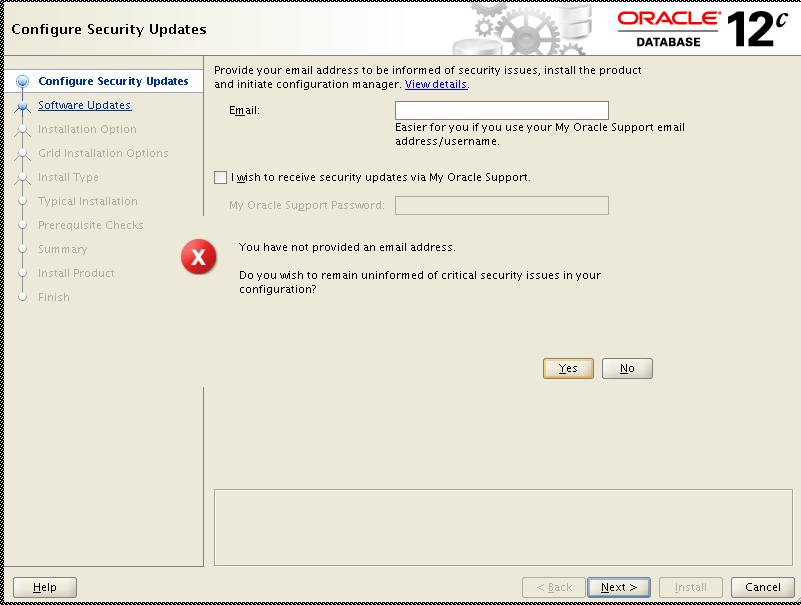
 uncheck the box and continue ................


    specify your Oracle Home & Software location


Click on “fix& Check again” then it will prompt you to run script, then open a new terminal and run the script and check “ignore All” button and continue.


After finished running, it will prompt you to run root.sh script. Open a new terminal and run the script as root user.


Friday, August 23, 2013

create SOURCEDEF file using Goldengate DEFGEN utility

Data definitions are needed when the source and target tables have different definitions or the databases are of different types.

Perform below steps on the SOURCE database from which you want to obtain metadata definitions.
From the Oracle GoldenGate directory, run GGSCI.

1.        In GGSCI, issue the following command to create a DEFGEN parameter file.
              
                      ggsci > Edit params defgen

                     defsfile ./dirsql/SOURCE_DEFGEN.def
                     userid gguser password ******
                     TABLE schema.*;

2.      Enter the parameters listed above in the order shown and invoke DEFGEN from GG_HOME location 

                   $ ./defgen paramfile ./dirprm/defgen.prm

              3.      Use FTP or SFTP to transfer this SOURCE_DEFGEN.def file to the TARGET server
            
              4.   Specify this copied SOURCE_DEFGEN.def file location in REPLICAT param file
                   ex: SOURCEDEFS ./dirsql/SOURCE_DEFGEN.def


For every DDL change happen to the source tables (only tables which are captured for replication)  generate a NEW sourcedef file and copied to the target server

NOTE:  Do not create a data-definitions file for Oracle sequences. It is not needed and DEFGEN does not support it.


Friday, June 21, 2013

ORA-39168: Object path STATISTICS was not found during datapump impdp

Today while i'm trying to do schema import and i got an error below:

ORA-39168: Object path STATISTICS was not found

CAUSE:

Expdp directory=DIR_NAME dumpfile=DUMPFILE_NAME.dmp logfile=LOGFILE_NAME.log schemas=SCHEMA_NAME exclude=statistics

My export Done successful without any errors

Now, I’m trying the import the same into my target database

Impdp directory=DIR_NAME dumpfile=DUMPFILE_NAME.dmp logfile=LOGFILE_NAME.log  exclude=statistics
Import: Release 11.2.0.2.0 - Production on Fri Jun 21 16:15:14 2013

Copyright (c) 1982, 2009, Oracle and/or its affiliates.  All rights reserved.

Username: / as sysdba

Connected to: Oracle Database 11g Enterprise Edition Release 11.2.0.2.0 - 64bit Production
With the Partitioning, OLAP, Data Mining and Real Application Testing options
ORA-39002: invalid operation
ORA-39168: Object path STATISTICS was not found.

The error is because i already used EXCLUDE=STATISTICS parameter during expdp job and again trying to exclude statistics again during the impdp operation, and resulting in the error.
But we can use EXCLUDE=STATISTICS parameter in the impdp(import) operation when we didn’t include this parameter in the export job.

Solution: Remove EXCLUDE=STATISTICS parameter from the import job and run


Friday, June 14, 2013

Install Oracle Goldengate on LINUX 11gr2

Here I’m going to install oracle Goldengate 11.2.1.0.3  on my oracle 11.2.0.2 database, Linux 64 bit
If it is a RAC, then install in a common location

Download Goldengate Software and move the ZIP file to Linux server
Copy software(ZIP file) to some directory in the database and unzip the file

$ Mkdir ggate
$ cd ggate

$ unzip V34339-01.zip
Archive:  V34339-01.zip
  inflating: fbo_ggs_Linux_x64_ora11g_64bit.tar
  inflating: Oracle_GoldenGate_11.2.1.0.3_README.doc
  inflating: Oracle GoldenGate_11.2.1.0.3_README.txt
  inflating: OGG_WinUnix_Rel_Notes_11.2.1.0.3.pdf

$  tar -xvof fbo_ggs_Linux_x64_ora11g_64bit.tar

$ ./ggsci
Oracle GoldenGate Command Interpreter for Oracle
Version 11.2.1.0.3 14400833 OGGCORE_11.2.1.0.3_PLATFORMS_120823.1258_FBO
Linux, x64, 64bit (optimized), Oracle 11g on Aug 23 2012 20:20:21

Copyright (C) 1995, 2012, Oracle and/or its affiliates. All rights reserved.


Create Sub directories using "CREATE SUBDIRS”, this will create all required sub directories for oracle goldengate.

GGSCI (oracledev.domain.com) 1> CREATE SUBDIRS

Creating subdirectories under current directory /opt/oracle/GG

Parameter files                /opt/oracle/GG/dirprm: already exists
Report files                   /opt/oracle/GG/dirrpt: created
Checkpoint files               /opt/oracle/GG/dirchk: created
Process status files           /opt/oracle/GG/dirpcs: created
SQL script files               /opt/oracle/GG/dirsql: created
Database definitions files     /opt/oracle/GG/dirdef: created
Extract data files             /opt/oracle/GG/dirdat: created
Temporary files                /opt/oracle/GG/dirtmp: created
Stdout files                   /opt/oracle/GG/dirout: created


GGSCI (oracledev.domain.com) 2>

Then we need to create a database user and tablespace on both Source and TARGET servers which will be used by the GoldenGate Manager, Extract and Replicat processes.

$sqlplus / as sysdba

SQL*Plus: Release 11.2.0.2.0 Production on Fri Jun 14 20:59:57 2013

Copyright (c) 1982, 2010, Oracle.  All rights reserved.

Connected to:
Oracle Database 11g Enterprise Edition Release 11.2.0.2.0 - 64bit Production
With the Partitioning, OLAP, Data Mining and Real Application Testing options

SQL> create tablespace ggs_data datafile '/opt/oracle/ggs_data01.dbf' size 100m autoextend on next 10m maxsize unlimited;
Tablespace created.

SQL> create user gguser identified by gguser default tablespace ggs_data temporary tablespace temp;
User created.

SOURCE grants:

SQL>  grant create session to gguser;
        grant connect,resource to gguser;

  GRANT ALTER ANY TABLE TO GGUSER;
  GRANT CREATE ANY TABLE TO GGUSER;
  GRANT CREATE TABLE TO GGUSER;
  GRANT DELETE ANY TABLE TO GGUSER;
  GRANT DROP ANY TABLE TO GGUSER;
  GRANT FLASHBACK ANY TABLE TO GGUSER;
  GRANT INSERT ANY TABLE TO GGUSER;
  GRANT SELECT ANY DICTIONARY TO GGUSER;
  GRANT SELECT ANY TABLE TO GGUSER;
  GRANT QUOTA UNLIMITED ON GGS_DATA TO GGUSER;
  GRANT UPDATE ANY TABLE TO GGUSER;


TARGET grants:

GRANT CREATE SESSION to gguser;
GRANT ALTER SESSION to gguser;
GRANT ALTER SYSTEM to gguser;
GRANT RESOURCE to gguser;
GRANT CONNECT to gguser;
GRANT SELECT ANY DICTIONARY to gguser;
GRANT SELECT ANY TABLE to gguser; 
GRANT INSERT,UPDATE, DELETE ON TARGET_SCHEMA.* to gguser;
GRANT CREATE TABLE to gguser;

NOTE:  Please refer below Oracle Goldengate installation Doc for the GGUSER grants on Source and Target side
  http://docs.oracle.com/cd/E35209_01/doc.1121/e35957.pdf


Auto Scroll Stop Scroll